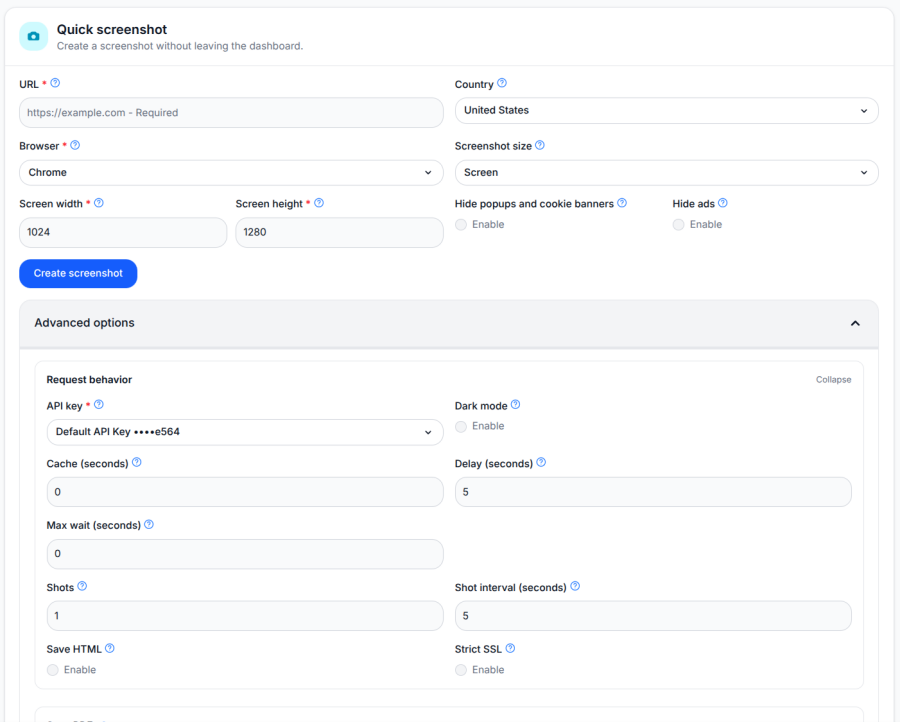
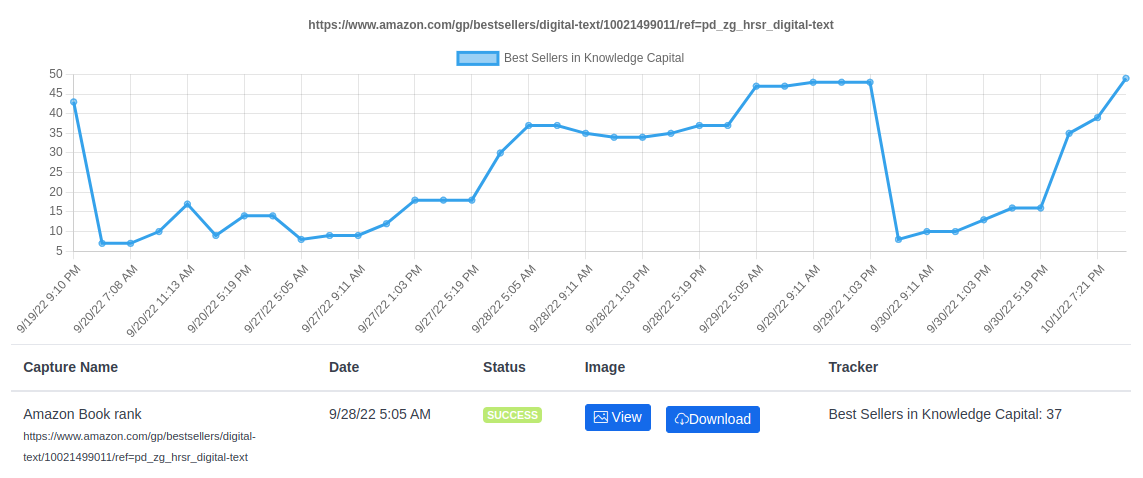
This blog post shows a couple of examples of trackers. You can define your own as well
Tracker definition
A tracker returns a name and a value. For example, if you want to track the number of views of a YouTube video, you can extract the name of the video for the name and the number of views for the value.
The Browshot API takes a trackers argument as a JSON array that includes one or multiple tracker definitions. The tracker is a JSON object with these keys:
- name: a fixed name or a javascript snippet to extract a name from the page
- name_type (optional, default: string): javascript if name contains javascript code to run, or string for a fixed name
- value: javascript code to retrieved information from the page
- value_type (optional, default: string): string to return the value as found, or number to return the value as a number
- selector (optional): a CSS selector that must be present on the page to run the tracker
- input (optional): a value for the <input> variable to make it easier to reuse trackers. The <input> variable can be used inside the name, selector, and value parameters.
You can add arbitrary keys to a tracker definition, such as id, to help you identify the return value. These extra keys and values will be returned by the Browshot API.
Here is an example that tracks the number of views for a YouTube video using the name of the video:
{
    id: 'youtube_view',
    name: "document.querySelectorAll('#title > h1 > yt-formatted-string, h1.title > yt-formatted-string')[0].textContent + ' (Views)'",
    name_type: "javascript",
    value: "document.querySelectorAll('#formatted-snippet-text > span:nth-child(1), span.view-count')[0].textContent",
    value_type: "number"
}
Trackers run with every screenshot taken. The Browshot API screenshot/info returns the list of trackers defined with the screenshot request alongside the return values:
[{
  "name":"page title", "value":"document.title",
  "id": "test", "name_type": "string", "input": "", "value_type":"string", "selector": "",
  "return": [{
    "found": 1, "shot": 1, "value": "My Page Title", "name": "page title"
    }]
}]
return contains all the names and values found by the tracker:
- found: 1 if the tracker was found, 0 if not found
- shot: the shot number if which the tracker was found, starting with 1
- name: tracker name
- value: value retrieved
Examples
[
{
  "id": "amazon_category_rank",
  "comment": "Amazon Category Rank",
  "input_comment": "Amazon Product ID",
  "input": "ABBCCCC12345",
  "name": "document.querySelectorAll('h1')[0].textContent",
  "name_type": "javascript",
  "name_comment": "Product name",
  "selector": "//*[@id='<input>']",
  "value": "document.evaluate('//*[@id=\"<input>\"]',document,null,XPathResult.FIRST_ORDERED_NODE_TYPE,null).singleNodeValue.parentNode.parentNode.querySelectorAll('span')[0].textContent",
  "value_type": "number"
},
{
  "id": "amazon_search_rank",
  "comment": "Amazon Search Rank",
  "input_comment": "Amazon Product ID",
  "input": "ABBCCCC12345",
  "name": "document.querySelectorAll('#twotabsearchtextbox')[0].value || document.querySelectorAll('#searchDropdownBox')[0].querySelectorAll('option[selected]')[0].textContent",
  "name_type": "javascript",
  "name_comment": "Product name",
  "selector": "div[data-asin='<input>'][data-cel-widget]",
  "value": "document.querySelectorAll('div[data-asin=\"<input>\"][data-cel-widget]')[0].getAttribute('data-cel-widget')",
  "value_type": "number"
},
{
  "id": "google_search_rank",
  "comment": "Google Search Rank",
  "input_comment": "URL or part of URL",
  "name": "document.querySelectorAll('input[aria-label]')[0].value",
  "name_type": "javascript",
  selector: "a[href*='<input>']",
  value: "(function(){\
    var className = document.querySelectorAll(\"a[href*='<input>'] > h3\")[0].getAttribute('class').split(' ').join('.');\
    var page = Array.from(document.querySelectorAll('td > span')).filter(x => x.parentNode.textContent != '').map(x => x.parentNode.textContent)[0] || 1;\
    return Array.from(document.querySelectorAll(`a > h3.${className}`)).filter(function(x){return x.offsetParent != null}).findIndex(function(x){ return x.parentNode.href.includes('<input>')}) + 1 + (page -1) * 10;\
    })()",
  value_type: "number"
},{
  "id": "youtube_view",
  "comment": "YouTube Views",
  "name": "document.querySelectorAll('#title > h1 > yt-formatted-string, h1.title > yt-formatted-string')[0].textContent + ' (Views)'",
  "name_type": "javascript",
  "value": "document.querySelectorAll('#formatted-snippet-text > span:nth-child(1), span.view-count')[0].textContent",
  "value_type": "number"
},
{
  "id": "youtube_likes",
  "comment": "Youtube Likes",
  "name": "document.querySelectorAll('#title > h1 > yt-formatted-string, h1.title > yt-formatted-string')[0].textContent + ' (Likes)'",
  "name_type": "javascript",
  "value": "document.querySelectorAll('#top-level-buttons-computed > ytd-toggle-button-renderer:nth-child(1) > a > yt-formatted-string')[0].getAttribute('aria-label')",
  "value_type": "number"
},
{
  "id": "youtube_comments",
  "comment": "Youtube Comments",
  "name": "document.querySelectorAll('#title > h1 > yt-formatted-string, h1.title > yt-formatted-string')[0].textContent + ' (Comments)'",
  "name_type": "javascript",
  "value": "document.querySelectorAll('#count > yt-formatted-string > span:nth-child(1)')[0].textContent",
  "value_type": "number"
},
{
  "id": "twitter_retweets",
  "comment": "Twitter Retweets",
  "name": "`${window.location.href} (Retweets)`",
  "name_type": "javascript",
  "value": "document.querySelectorAll(\"a[href$='/retweets']\")[0].textContent",
  "value_type": "number"
},
{
  "id": "twitter_likes",
  "comment": "Twitter Likes",
  "name": "`${window.location.href} (Likes)`",
  "name_type": "javascript",
  "value": "document.querySelectorAll(\"a[href$='/likes']\")[0].textContent",
  "value_type": "number"
},
{
  "id": "twitter_quotetweets",
  "comment": "Twitter Quote Tweets",
  "name": "`${window.location.href} (Quote Tweets)`",
  "name_type": "javascript",
  "value": "document.querySelectorAll(\"a[href$='/retweets/with_comments']\")[0].textContent",
  "value_type": "number"
},
{
  "id": "browshot",
  "comment": "Browshot Screenshots Count",
  "name": "Browshot Screenshots Count",
  "name_type": "string",
  "value": "document.querySelectorAll('body > section.bg1.hero.center > div > div > i:nth-child(9)')[0].textContent",
  "value_type": "number"
},
{
  "id": "title",
  "comment": "Page Title",
  "name": "Page Title",
  "name_type": "string",
  "value": "document.title",
}]
Cost
Browshot charges 1 credit for each tracker successfully retrieved.
Make it your own
We'd love to hear what our users want to track on web pages. Blitapp is using the Browshot trackers to show trends of Amazon product ranking or Google SEO ranks in their application.

 Since its creation, Browshot has focused on providing high-quality screenshots through a powerful API. Over the years, we have added many features such as automation steps, ad and pop-up blocking, dark mode support, and more. Browshot has acquired other screenshot services: Thumbalizr in 2017 and Blitapp in 2023, both using Browshot as their API. Thumbalizr offers an easy way to integrate screenshots into your website, while Blitapp provides a user-friendly interface for scheduling screenshots and storing them in your cloud.